
App comparison 3 min read
Yakpack vs. Google Translate for travel
Compare offline language downloads, voice translation, and menus when choosing a translation app for a trip.
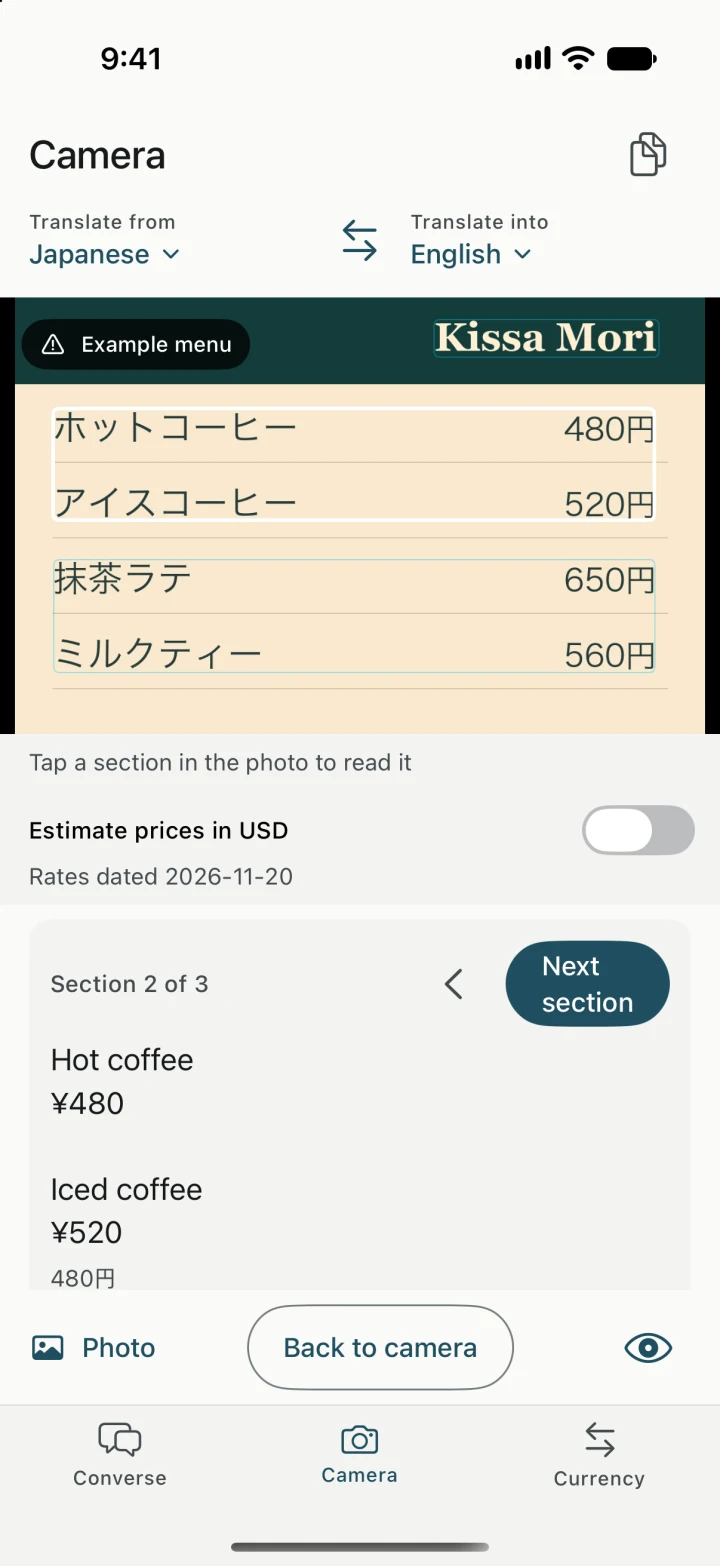
Both apps can translate a menu offline after you prepare supported languages. Start with Google Translate if you need broad language coverage or handwriting input. Try Yakpack if you want to read the menu, estimate what lunch costs in your home currency, and ask a question in the same app. Google Translate app overview
| Task | Yakpack | Google Translate |
|---|---|---|
| Offline setup | Trip setup checks speech, translation, and playback separately. | Download supported languages on Android or iPhone. Check availability for each mode. |
| Menu and sign photos | Freeze a photo, review recognized text, and estimate menu prices using saved rates. | Offline camera translation for supported downloaded languages on Android and iPhone. |
| Spoken exchanges | Use a supported pair with the offline speech model, translation downloads, and installed voices. | Google documents offline Live Translate on Pixel 9, 10, and 11 for selected pairs with English. |
Check camera and speech separately
Google documents offline camera translation on Android and iPhone for supported downloaded languages. Its separate offline Live Translate instructions cover Pixel 9, 10, and 11 and selected pairs with English, including Japanese and Spanish. Check the mode, languages, and phone you actually intend to use. Google’s Android camera help · Google’s iPhone camera help · Google’s Live Translate help
Try ordering lunch in airplane mode
- On Wi-Fi, download your camera languages in both apps. In Yakpack, set your local and home currencies, refresh the rates, and prepare the speech model, translation resources, and voices if you want to speak and hear the reply.
- Turn on airplane mode and make sure Wi-Fi is off. Open the same café menu photo in both apps and find an item and its price. Compare the digits with the original. In Yakpack, turn on price estimates and confirm which currency is being converted.
- Try asking “Does this come with rice?” and translating a short reply. Check whether you can read both sides and hear the translated audio you need. If speech is unavailable, type the question and show the translation.
If you mainly look up words or read signs across several destinations, check Google’s language downloads for each stop. If you expect to switch from reading a menu to asking a follow-up, try Yakpack’s Camera and Conversation together. Some Yakpack translations on Android use Google ML Kit, which Google says uses the same models as Google Translate’s offline mode. Yakpack menu and price workflow · Google’s ML Kit documentation