Reading menus
Offline menu translator
Read a restaurant menu with your camera, check the original text, and estimate prices in your home currency.
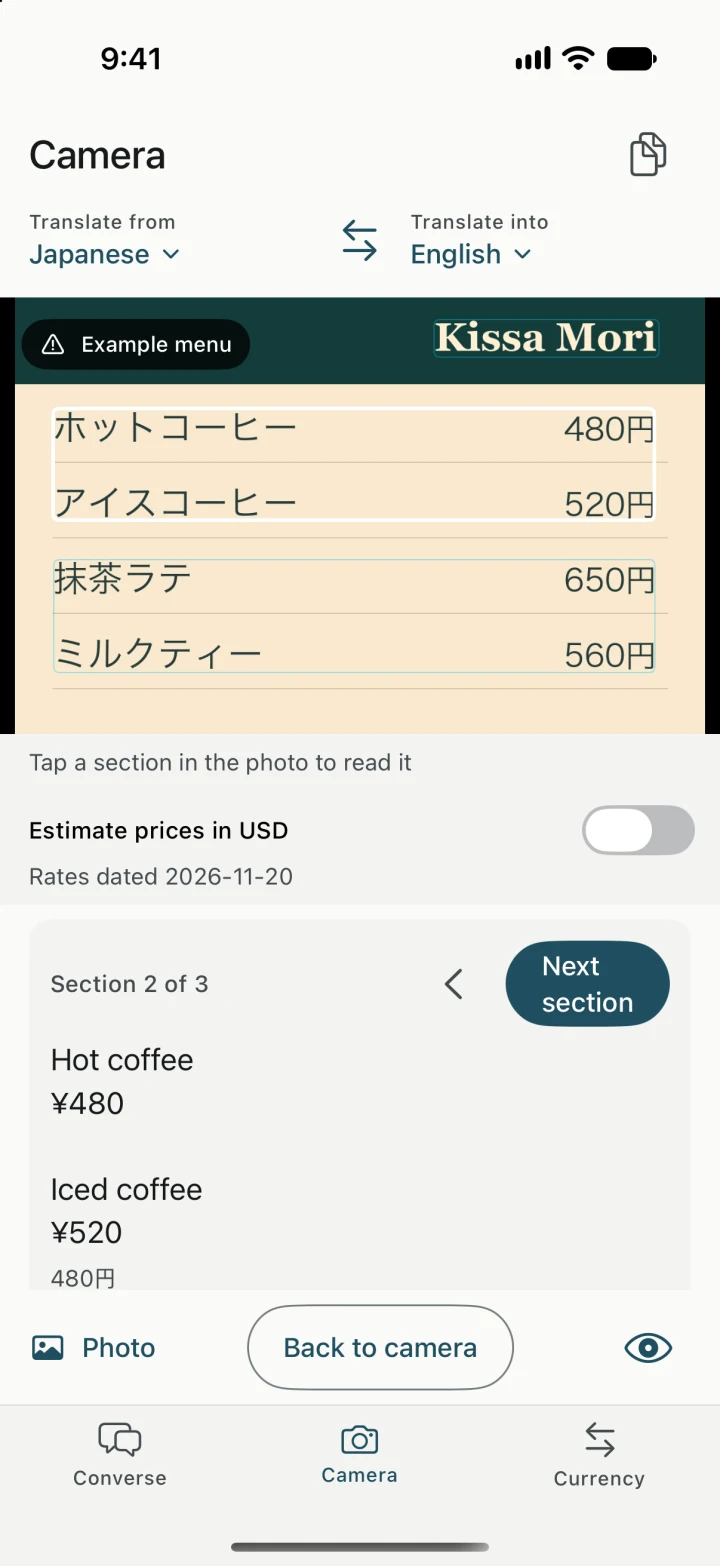
Read the dish and its price together
Choose the menu’s language in Camera, then point at the page or import a photo already on your phone. Freeze the image so you can read a section at a time. At a café with a crowded board, try framing just the drinks or specials so each name stays near its price.
Check the original before ordering
Open the original reading if the app appears to have matched a price to the wrong item. You can correct recognized text and translate it again. For ingredients or allergies, ask staff directly and use the original dish name when pointing out what you want to order.
Estimate what it costs offline
Set your local and home currencies in Currency. On a frozen menu you can turn on estimates for recognized prices. Confirm the amount against the photo and check the saved rate date. Download Camera’s languages on Wi-Fi before the meal. The price estimate uses rates stored on the phone. See how offline currency conversion works.